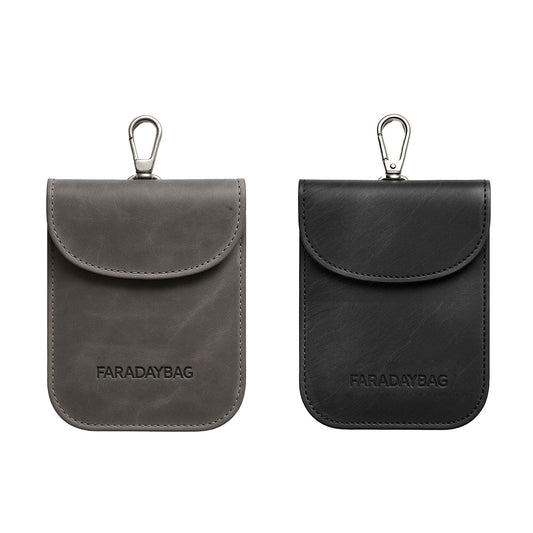
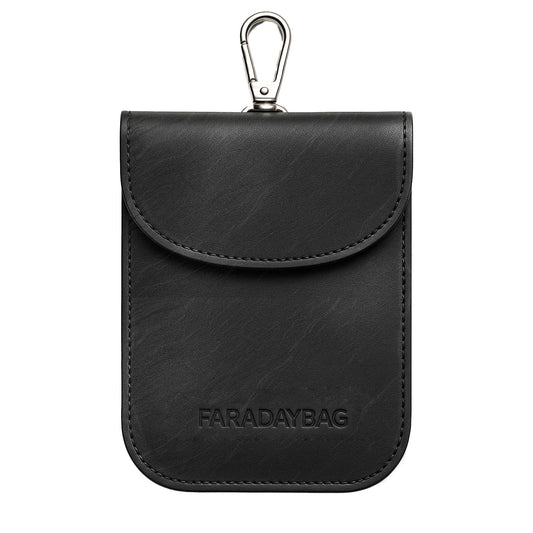
A Faraday bag is useful only when its conductive layers and closure reduce the signals that matter for your device. This practical checklist helps you run the same basic checks after purchase and again as the bag ages.
Important limit: an at-home pass is not a laboratory shielding certification. Phones, routers, Bluetooth devices, GPS receivers and key fobs use different frequencies and power levels. A bag can interrupt one connection and still perform differently on another band. NIST defines a shielded enclosure as a container designed to attenuate electromagnetic radiation; professional shielding-effectiveness measurements are more controlled than the checks below.
Five-minute quick test
- Charge the device and confirm every connection works normally outside the bag.
- Place only the device or key inside. Do not trap a cable in the opening.
- Close the bag exactly as instructed, flattening the full closure without folds or gaps.
- Run the relevant test below at least three times.
- Write down the date, device and result so you can compare performance later.
1. Phone call and mobile-data test
Before sealing the phone, make a call and load a new webpage to confirm mobile service is available. Seal the phone in the bag. From a second phone, call it several times. Then remove it and check whether the calls arrived live, went to voicemail or appeared only after removal.
For mobile data, start with Wi-Fi switched off. Ask the sealed phone to load genuinely new data, not a cached page. A failed call or stalled connection is a useful household check for that phone, network and location; it does not prove performance on every cellular band.
2. Wi-Fi test
Connect the phone to your router and start a live stream or continuous network task. Seal the phone while staying near the router. The connection should stop transferring fresh data. Repeat from the room where you normally store the bag because a very strong nearby transmitter can make a marginal closure easier to expose.
3. Bluetooth test
Play audio from the test phone to Bluetooth headphones or a speaker. Seal the phone and listen for the live connection to stop. Bluetooth and Wi-Fi are separate checks: passing one should not be recorded as passing both.
4. GPS check
Outdoors, let a mapping or GPS-status app establish a fresh location. Seal the device and wait several minutes, then compare its live accuracy after removal. Treat this as a supplementary observation. Assisted GPS and cached location data can make an app appear to know its position even when it has not received a fresh satellite fix.
5. Car key-fob test
Park safely, switch the vehicle off and first confirm the key unlocks it normally. Put the key in the pouch, close the full flap and approach the vehicle as you normally would. The vehicle should not unlock or start while the key remains sealed. Repeat with the spare key and test both sides of a two-pocket pouch if applicable.
Police crime-prevention guidance recommends checking that a Faraday pouch still works every few months. It also recommends keeping main and spare keys away from doors and windows and using layered physical security such as a steering-wheel lock.
Result table
| Result | What it means | Next action |
|---|---|---|
| Connection stops consistently | The bag reduced that tested connection under those conditions. | Record the result and retest periodically. |
| Intermittent pass | The closure, fit or material may be marginal. | Reseat the device, close the flap carefully and repeat in another location. |
| Connection remains active | The bag did not block that test setup. | Check the correct pocket and closure; replace or return the bag if it still fails. |
Printable maintenance checklist
- Test date: ____________________
- Bag and device: ____________________
- Phone/mobile data: Pass / Fail / Not tested
- Wi-Fi: Pass / Fail / Not tested
- Bluetooth: Pass / Fail / Not tested
- GPS: Pass / Fail / Not tested
- Key fob: Pass / Fail / Not tested
- Closure, seams and lining inspected: Yes / No
- Next retest date: ____________________
When to retest or replace the bag
Retest after heavy use, a puncture, abrasion, water or heat exposure, a damaged seam, a change of phone or vehicle, or any time the closure no longer sits flat. For a key pouch used daily, a recurring calendar reminder is more reliable than waiting for visible damage.
Further reading and product selection
- NIST: shielded enclosure definition
- NIST: measurement of shielding effectiveness
- Nottinghamshire Police: keyless-theft prevention and periodic pouch checks
- Why Faraday bags stop working
- Compare Faraday pouches and boxes for car keys
The Faraday Bag is a retailer. This guide is general consumer testing information, not a claim that a household check certifies laboratory attenuation or guarantees theft prevention.